


Making videos has never been easier, but with so many apps out there, picking the right one can feel like a puzzle. Whether you’re just starting out or you’ve been editing for a while, there’s an app that can help you make your videos look great. This article breaks down some of the best video editing apps you gotta try, so you can spend less time searching and more time creating.
Key Takeaways
- Choosing the best video editing app depends on your skill level and what you want to achieve.
- For beginners, look for apps that are easy to use with a simple interface.
- Professionals might need more advanced tools, more control, and a wider range of features.
- Consider if you need features like special effects, transitions, and good audio editing.
- Free apps can be great for starting out, but paid apps often offer more features and no watermarks.
- Why Choose the Right Video Editing App?
- Key Features to Look For in a Video Editing App
- Best Video Editing Apps for Beginners
- Top Video Editing Apps for Professionals
- Free vs. Paid Video Editing Apps: What's the Difference?
- How to Choose the Best Video Editing App for Your Needs
- Conclusion: Start Creating Amazing Videos Today!
- So, What's the Takeaway?
- Frequently Asked Questions
Why Choose the Right Video Editing App?
Picking the right video editing app might seem like a small detail, but honestly, it can make or break your whole creative process. Think about it: you’ve got this awesome idea, maybe a cool travel vlog or a tutorial for your friends, and you’ve shot all the footage. Now comes the part where you stitch it all together, add some music, maybe a few text overlays. If your app is clunky, slow, or just doesn’t have the tools you need, that whole process can turn from fun to frustrating real quick.
The right app makes editing feel less like a chore and more like an extension of your creativity. It means you can focus on telling your story, not fighting with software. For instance, if you’re just starting out, wrestling with a super complex program designed for Hollywood blockbusters is probably not the best move. You’ll likely get bogged down in features you don’t understand and end up with something that looks… well, amateurish, not because of your vision, but because the tool wasn’t a good fit. On the flip side, if you’re aiming for professional-looking results, a basic mobile app might leave you wanting more advanced control over things like color grading or audio mixing.
Here’s a quick rundown of why this choice matters:
- Efficiency: A good app streamlines your workflow, letting you edit faster. This is super important if you’re trying to keep up with a regular posting schedule.
- Quality: The features available directly impact the final look and sound of your video. Better tools often mean a more polished final product.
- Learning Curve: Some apps are designed for quick learning, while others require a significant time investment. Choosing based on your current skill level prevents unnecessary headaches.
- Features: Does it have the specific effects, transitions, or audio controls you need? Not all apps are created equal in this regard.
Ultimately, the goal is to find a tool that empowers you to bring your vision to life without getting in your way. It’s about finding that sweet spot between capability and usability, so your creative energy flows into the content itself, not into figuring out how to operate the software. A well-chosen app can be your best creative partner, helping you turn raw footage into something truly engaging.
So, before you jump into editing, take a moment to think about what you want to achieve. Are you aiming for quick social media clips or more in-depth projects? Your answer will guide you toward the best video editing software for your needs.
Key Features to Look For in a Video Editing App
With so many video editing apps out there, it’s easy to get overwhelmed. Picking the right one can honestly make the difference between a smooth editing experience and wanting to throw your phone across the room. Here’s what you should seriously consider before picking your go-to editor:
Ease of Use and Interface
Nobody wants to learn a whole new language just to trim a video. The best apps keep it simple—nice layout, easy access to important tools, and not too many distracting pop-ups.
- Intuitive drag-and-drop timelines
- Shortcuts for common actions (like cutting and undo)
- Customization options for your workflow
If you can get comfortable with the app’s interface in minutes, you’ll save hours in the long run.
Available Editing Tools (Trimming, Cutting, Merging)
Every solid editing app should include the basics:
- Trim or cut out unwanted footage
- Merge clips together
- Rearrange scenes with ease
For example, apps like CapCut provide robust options for splitting and merging, plus some surprising extras (AI-powered features) if you like experimenting.
Effects, Filters, and Transitions
This is where you make your video stand out. Think of filters like the Instagram stories version but for your whole video.
- A library of transitions: fades, slides, wipes
- Filters for tone and mood
- Special effects like green screen or overlays
If you’re editing snippets for social media, you’ll want these effects to be easy to apply and adjust.
Audio Editing Capabilities
Great visuals are vital, but audio can make or break your final piece. Check for:
- Adjusting background music and sound effects
- Separate audio tracks for voiceovers
- Tools for fading, muting, or syncing audio
A quick volume tweak or well-timed fade goes a long way.
Export Options and Resolution
It really stinks to spend time editing only to discover your app exports grainy, weirdly sized videos. Look for:
| Feature | Why It Matters |
|---|---|
| Multiple resolution export | Useful for different platforms |
| Custom aspect ratios | Ensures compatibility |
| Format options (MP4, MOV) | Easier sharing and uploading |
Some apps let you export up to 4K if your device supports it, which comes in handy for extra-sharp content.
Thinking about all these features ahead of time means less frustration when you’re deep into editing. Focus on what’s actually going to improve your workflow—not just what looks cool on an app description page.
Best Video Editing Apps for Beginners
Getting started with video editing doesn’t have to be complicated or expensive. There are tons of great apps out there designed specifically for people who are just dipping their toes into the world of video creation. These tools focus on being intuitive, so you can spend less time figuring out the software and more time making your videos look awesome.
Many of these apps are available as a video editor for mobile, meaning you can edit right on your smartphone or tablet. This is super convenient for quick edits or if you’re always on the go. You don’t need a fancy computer to make something cool anymore.
Here are a few things to look for when picking a beginner-friendly app:
- Simple Interface: The layout should be clean and easy to understand. You shouldn’t feel overwhelmed by buttons and menus.
- Basic Tools: You’ll want easy access to trimming clips, cutting out unwanted parts, and putting different video segments together.
- Pre-set Effects: Things like filters, text overlays, and simple transitions can add a lot of polish without much effort.
- Quick Export: Being able to save your finished video in a decent quality without a long wait is a big plus.
Some apps are completely free video editing software, which is perfect for trying things out. Others might have a free version with basic features and a paid upgrade for more advanced stuff. It’s often a good idea to start with a free option to see what you like before committing to a purchase.
Don’t get bogged down by trying to find the
Top Video Editing Apps for Professionals
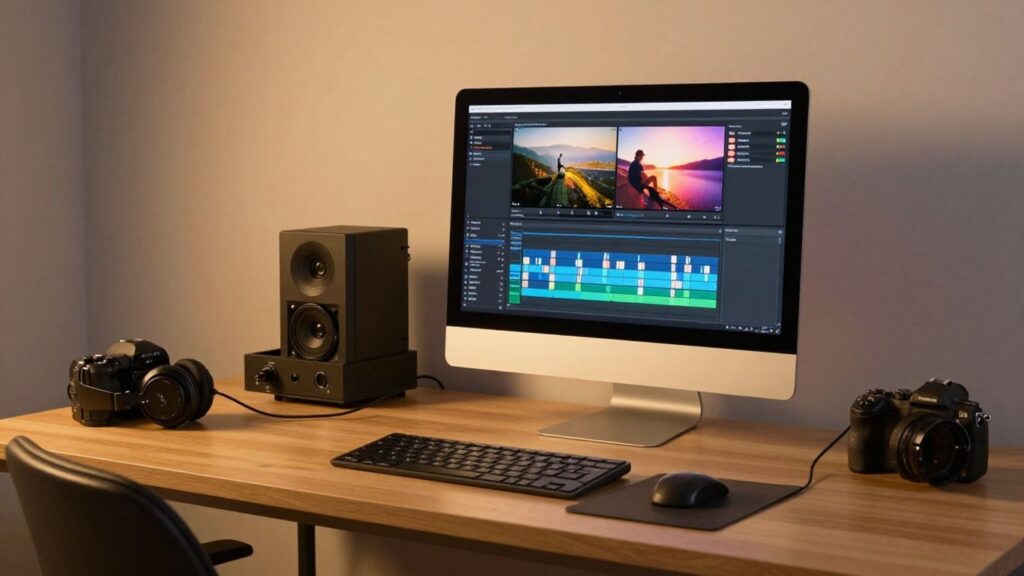
When you’re serious about video, you need tools that can keep up. Professional video editing software isn’t just about cutting clips together; it’s about fine-tuning every detail, managing complex projects, and getting that polished look that makes your work stand out. These are the top rated video editing programs that pros rely on.
For many, the gold standard is Adobe Premiere Pro. It’s a powerhouse that integrates well with other Adobe Creative Cloud apps, making it a go-to for filmmakers, broadcast professionals, and serious content creators. Its timeline is incredibly flexible, and the sheer number of effects, color correction tools, and audio editing capabilities means you can achieve almost any look or sound you can imagine. It’s definitely a learning curve, but the payoff is immense.
Another major player, especially in the Mac ecosystem, is Final Cut Pro. It’s known for its magnetic timeline, which can be a game-changer for workflow efficiency once you get used to it. It’s also optimized for Apple hardware, often leading to very smooth performance. Many YouTubers and independent filmmakers swear by it for its speed and intuitive (though different) approach to editing.
Then there’s DaVinci Resolve. What’s really interesting about Resolve is its free version is incredibly capable, offering professional-grade color correction, visual effects (Fusion), and audio post-production (Fairlight) all within one application. The paid Studio version adds even more advanced features, but honestly, the free tier is enough for many professionals to do amazing work. It’s particularly famous for its color grading tools, often considered the best in the industry.
Here’s a quick look at what sets these apart:
- Workflow Speed: How quickly can you get through your edits?
- Integration: Do they play nice with other software you use?
- Advanced Features: Things like multi-cam editing, motion tracking, and advanced audio mixing.
- Hardware Optimization: How well do they run on your specific computer?
Choosing the right professional software often comes down to your operating system, budget, and personal workflow preferences. Don’t be afraid to try out the free trials to see which one feels right for you. The investment in learning a powerful tool pays off in the long run.
While mobile apps have gotten incredibly good, for truly complex projects with many layers, high-resolution footage, and intricate sound design, desktop applications remain the undisputed champions. If you’re looking to make video editing your career, mastering one of these top-tier programs is a must. You might also find tools like CyberLink PowerDirector useful for certain aspects of your workflow, especially if you need to bridge mobile and desktop editing.
Free vs. Paid Video Editing Apps: What’s the Difference?
So, you’re looking to edit some videos, and you’re wondering whether to go for a free app or a paid one. It’s a common question, and honestly, the answer isn’t always straightforward. Both have their upsides and downsides, and what’s best really depends on what you’re trying to achieve.
Free apps are fantastic for getting started. They’re usually pretty accessible, meaning you can download them and start playing around without spending a dime. This is great if you’re just dabbling in video editing, making simple clips for social media, or if you’re a beginner who isn’t sure if this is a hobby you’ll stick with. Many free options offer basic but solid editing tools like trimming, cutting, and merging clips. You might also find some decent effects and filters to spice things up. For example, apps like VN offer a surprisingly robust set of features without any cost, though you might have to deal with a small watermark or a brief ad when you open the app.
The biggest draw of free software is, of course, the price. It lowers the barrier to entry significantly, allowing anyone with a smartphone or computer to experiment with video creation.
Paid apps, on the other hand, usually come with a more extensive feature set. Think advanced tools, a wider range of professional-grade effects and transitions, better audio editing capabilities, and crucially, no watermarks on your exported videos. If you’re serious about video editing, whether for a side hustle, a YouTube channel, or even professional work, the investment often pays off. These apps tend to offer more control over the finer details of your edit and often have better performance for handling larger files or more complex projects. Some popular paid options include Final Cut Pro or Adobe Premiere Pro, which are industry standards, but there are also many mobile-focused paid apps that offer a lot for their price.
Here’s a quick look at what you might expect:
- Free Apps:
- Often have watermarks or ads.
- May have limited features or fewer advanced tools.
- Great for casual users and beginners.
- Examples: VN, some versions of CapCut.
- Paid Apps:
- Typically watermark-free exports.
- Wider range of professional tools and effects.
- Better support and regular updates.
- Examples: Final Cut Pro, Adobe Premiere Pro, Splice (which has a strong, sensible approach to its features).
Ultimately, the choice boils down to your needs and budget. If you’re just starting out, a free app is a perfectly good place to begin your video editing journey. As your skills grow and your projects become more demanding, you can always consider upgrading to a paid application that offers more power and flexibility.
How to Choose the Best Video Editing App for Your Needs

Picking the right video editing app can feel like a puzzle, right? There are so many options out there, and they all promise the moon. But honestly, it boils down to what you need to do. Think about your skill level first. Are you just starting out and want to make quick clips for social media, or are you aiming to produce longer, more polished content?
Here’s a quick breakdown to help you decide:
- Beginner: Look for apps with a simple, drag-and-drop interface. Think iMovie or CapCut. These usually have pre-set templates and easy-to-access tools for basic cuts, adding text, and simple transitions. The goal here is to get your ideas out there without a steep learning curve.
- Intermediate: You might be ready for apps that offer a bit more control. Consider something like Adobe Premiere Rush or LumaFusion. These give you more options for color correction, audio mixing, and more complex timelines, but they don’t overwhelm you with professional-level features.
- Advanced/Professional: If you’re serious about filmmaking or high-end content creation, you’ll want the powerhouses. Apps like Final Cut Pro or Adobe Premiere Pro are industry standards. They have every tool imaginable, but they also come with a significant learning curve and often a higher price tag.
Don’t forget to consider your device. Are you editing on a phone, a tablet, or a powerful desktop computer? Mobile apps are great for on-the-go edits, but for really complex projects, a desktop application is usually the way to go. Some apps are platform-specific, so make sure it works with your operating system.
It’s easy to get caught up in all the fancy features and think you need the most expensive, complex software. But often, the best app is the one you can actually learn and use effectively. Start simple, and you can always upgrade or switch later if your needs change. The most important thing is to keep creating.
Think about the type of videos you’ll be making. Are they short social media clips, vlogs, tutorials, or something else entirely? Some apps are better suited for specific tasks. For example, if you need lots of cool text animations, look for an app that excels in that area. If you’re editing music videos, you’ll want robust audio tools. Ultimately, the best video editing app for you is the one that fits your workflow, your budget, and helps you tell your story effectively. You can find a great overview of different video editing applications to get you started.
Conclusion: Start Creating Amazing Videos Today!
So, we’ve gone through a bunch of video editing apps, from the super simple ones perfect for your first TikTok to the more complex tools that pros use. It can feel a little overwhelming, right? But honestly, the best app is the one you’ll actually use. Don’t get bogged down trying to find the ‘perfect’ one right away.
Think about what you want to make. Are you just trying to stitch together a few clips for a family vacation? Or are you aiming to create polished YouTube videos with fancy transitions and clear audio? Your goals will point you in the right direction. For quick edits on the go, mobile apps are fantastic. If you’re doing more involved projects, a desktop application might be better. It’s all about finding that sweet spot between features and ease of use.
Here’s a quick rundown to help you decide:
- For absolute beginners: Look for apps with drag-and-drop interfaces and pre-set templates. Think simple trimming, adding text, and basic music. Many free options fit this bill.
- For social media creators: Apps that offer quick export options for platforms like Instagram, TikTok, and YouTube are key. Features like adding text overlays, filters, and easy music integration are a plus.
- For aspiring professionals: You’ll want more control. This means multi-track editing, advanced color correction, and more robust audio tools. These often come with a learning curve, but the results can be stunning.
Remember, you don’t need the most expensive software to make great content. Plenty of creators build successful channels with free or affordable tools. The most important thing is to get started and practice. You can always upgrade your software later as your skills and needs grow. Don’t let the tech hold you back from sharing your story.
The journey of a thousand videos begins with a single clip. Experiment, play around, and don’t be afraid to make mistakes. That’s how you learn and improve. The video editing landscape is always changing, so staying curious and trying new things is part of the fun.
Ultimately, the goal is to tell your story effectively. Whether you’re documenting your life, sharing your knowledge, or creating art, the right app is just a tool. Your creativity is the real magic. So pick an app that feels right, start editing, and show the world what you can do!
So, What’s the Takeaway?
Alright, so we’ve looked at a bunch of different video editing apps, from the super simple ones that are great for quick social media clips to the more serious tools that can handle bigger projects. Honestly, the best app for you really just depends on what you’re trying to do and what you’re comfortable with. Don’t get too caught up in having the fanciest software out there. If you’re just starting out, grab something free and easy to learn, like CapCut or iMovie. If you’re ready to get more serious, maybe check out Final Cut Pro or Adobe Premiere Rush. The most important thing is to just start editing and have some fun with it. You’ll figure out what works best for you as you go.
Frequently Asked Questions
What’s the main reason to pick the right video editing app?
Picking the right app makes editing easier and helps you create cooler videos faster. It’s like choosing the right tool for a job – it makes everything go smoother!
What should I look for when choosing an app?
Think about how easy it is to use, if it has tools like cutting and joining clips, cool effects, ways to fix audio, and if you can save your video in good quality.
Are there apps good for people just starting out?
Yes! Many apps are made for beginners with simple steps. They often have tutorials to help you learn quickly without getting overwhelmed.
What’s the difference between free and paid apps?
Free apps are great for starting, but might have fewer features or add watermarks. Paid apps usually offer more advanced tools, no watermarks, and better support for professional work.
Can I edit videos on my phone?
Absolutely! Many powerful video editing apps are available for smartphones and tablets. They let you edit on the go, though very complex projects might still be better on a computer.
Do I need a powerful computer for video editing?
Not always! While professional software on computers offers the most power, many mobile apps are surprisingly capable. For simpler edits, your phone or tablet might be all you need.